Blog
Why offline-first POS still wins for neighborhood retail
A practical look at why local checkout, stock control, and thermal receipt printing protect store revenue when internet reliability fluctuates.
Written by the Weza POS team — hello@wezasoft.com
Key takeaways
- Keeping the checkout engine on the counter machine means a dropped internet connection never stops sales.
- A local POS stores catalogs, prices, barcodes, and stock on the counter's hard drive, so searching by name or scanning an EAN-13 barcode completes in milliseconds.
- Browser and cloud-only terminals freeze with network-timeout errors when the router reboots or the link drops, pushing cashiers onto scrap paper and hours of re-entry after closing.
- In an offline-first system the sale and the printed receipt are the transaction, written immediately to a local database; syncing to cloud backup is optional and resumes when the connection returns.
- Weza POS is an offline-first desktop POS for Windows, macOS, and Linux; the Business plan adds reports, staff and shift controls, customer credit, expenses, and online backup and sync.
Independent stores lose momentum the moment a checkout queue stalls. When six customers are waiting with milk, bread, and household goods at five in the evening, a spinner on a browser screen turns into lost sales. If the terminal takes four seconds to confirm every barcode scan over a cellular modem, shoppers notice the delay immediately.
The short answer: keep sales and receipts running on the counter machine so checkout never depends on the internet, then let an encrypted background sync catch up to cloud backup once the connection returns.
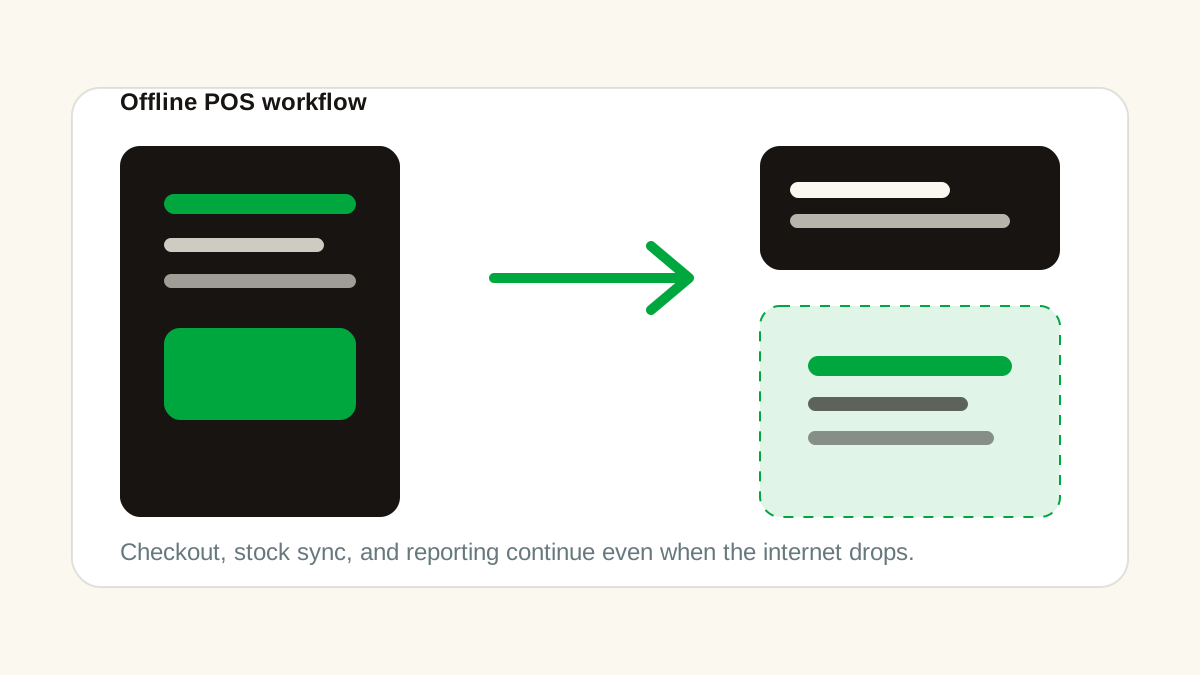
Cloud software providers often assume broadband is permanent, inexpensive, and steady. For shopkeepers operating on high streets, in rural towns, or in markets where fiber cables get cut during roadwork, connectivity remains erratic. Keeping the checkout engine on the counter machine prevents external network drops from stopping transactions.
What does an offline POS run locally on the counter?
An offline-first POS keeps the catalog, prices, cart math, stock ledger, receipt printing, and cash-drawer signals on the counter machine, so a sale never waits on a remote server. A local point-of-sale app keeps operational data on the local hard drive rather than querying an external server for every keystroke:
- Product catalogs, prices, barcodes, and current stock quantities
- Cart calculations, tax rules, promotions, and line item discounts
- Thermal printer triggers through direct USB or serial ports
- Cash drawer kick signals sent over standard receipt printer cables
- Ledger updates that deduct inventory units the millisecond a sale completes
- Cashier shift tracking and expense notes entered during the day
Because data lives on the computer, searching an item by name or scanning an EAN-13 barcode completes in milliseconds. The cashier presses cash or mobile payment, the receipt prints, the drawer pops open, and the next customer steps up.
Why do browser-based POS systems fail at a busy counter?
Browser and cloud-only POS systems freeze or throw generic network-timeout errors the moment the router reboots or the connection drops, because they fetch product details through remote web requests instead of reading a local database. Many modern point-of-sale systems run inside Google Chrome or iPad apps that fetch product details through remote web requests. In a quiet boutique processing twelve transactions a day, that setup might look acceptable. In a grocery store or pharmacy with steady foot traffic, browser-based systems create specific operational headaches.
First, browsers consume substantial memory over long shifts. A browser tab running for ten hours frequently slows down, requires page reloads, and drops connected hardware drivers.
Second, if the local Wi-Fi router reboots or the cellular internet drops, browser terminals freeze entirely or show generic network timeout errors. Cashiers get nervous, reach for scrap paper, and try to calculate totals by hand on a pocket calculator. Once paper sales start, inventory numbers drift, cash drawer balances stop matching, and staff spend two hours after closing trying to re-enter handwritten receipts.
Native desktop software built in languages like Rust runs as an independent operating system application. It does not depend on remote stylesheets, third-party tracking scripts, or active web sockets simply to ring up a tube of toothpaste. Weza POS is one such offline-first desktop point-of-sale app for Windows, macOS, and Linux, built for small retail shops.
How does background sync recover without interrupting sales?
Background sync uploads completed sales to cloud storage only after they are already saved locally, so a dropped connection never halts the counter. Operating locally does not mean working in total isolation. Many store owners want multi-device sales totals, nightly database backups, or remote reporting on their phone while away from the shop.
The difference lies in how data moves. In an offline-first system, recording the sale and printing the customer receipt is the primary transaction. That transaction is written immediately to a local database file.
When an internet connection is active, the software queues an encrypted copy of completed records and transmits them to cloud storage in the background. If the internet drops for twenty minutes, two hours, or two days, the counter continues running without interruption. Once the link comes back, the background sync catches up automatically. No transactions are lost, and no cashier has to halt a sale to wait for an upload indicator.
How does a slow till affect customer trust?
When a system stalls at the till, shoppers start to question whether their payment went through and whether the prices are accurate, and they reconsider returning. Shoppers judge independent retailers by how organized and fast the checkout feels.
Running a local-first desktop application gives small store owners the same reliable checkout speed that supermarket chains spend thousands of dollars engineering. The register stays responsive, the receipt prints instantly, and the business stays in control of its own sales records every day. The receipt itself prints on standard 58mm or 80mm ESC/POS thermal printers; see our 58mm vs 80mm thermal receipt printer guide for choosing a size.
Frequently asked questions
- Does offline-first mean my sales are never backed up to the cloud?
- No. Recording the sale and printing the receipt is the primary transaction and is written immediately to a local database file. When a connection is active, the software queues an encrypted copy of completed records and sends them to cloud backup in the background, catching up automatically once the link returns.
- What happens to a browser or cloud POS when the internet drops?
- The terminal freezes or shows a generic network timeout, so cashiers fall back on scrap paper and a calculator. Once sales are on paper, inventory drifts, drawer balances stop matching, and staff spend two hours after closing re-entering handwritten receipts.
- Is offline-first POS only for small shops?
- It is built for shops where connectivity is unreliable, such as high-street, rural, and market stores. In a quiet boutique processing twelve transactions a day a cloud or browser setup can look acceptable; in a busy grocery or pharmacy it becomes a bottleneck.
- What is Weza POS?
- Weza POS is an offline-first desktop point-of-sale app for Windows, macOS, and Linux, aimed at small retail shops. Pro is a one-time US$200 lifetime licence for a single device; Business is US$30 a month or US$200 a year and adds reports, staff and shift controls, customer credit, expenses, and online backup and sync. Custom plans are quoted per business.